How to rearrange your iPhone Home Screen from a computer
Since Apple took Home Screen arranging out of iTunes in 2017, people have been looking for another way to drag their iPhone apps around on a big screen. Here is every way that works today, compared side by side.
Updated
The short answer
| Icon Mosaic | iPhone Mirroring | Apple Configurator | |
|---|---|---|---|
| Your real Home Screen, every page at once | Yes, with your own wallpaper | One page at a time | A profile you build, on supervised iPhones only, which means erasing |
| Move apps between pages | Drag straight onto any page | Hold at the edge until the page turns | Only in the profile |
| Sort by color or A to Z | Yes, in seconds | No | No |
| Make folders for you | By category, or from your own words | No | No |
| See every change first, and undo | Yes, 60 steps of undo and a backup before every change | Changes happen as you go | Remove the profile |
| Copy your Android Home Screen | Yes, apps, folders and all | No | No |
We make Icon Mosaic, so read this with that in mind. Everything in the table is something you can check for yourself, and we last checked it in October 2026.
Icon Mosaic (Mac)
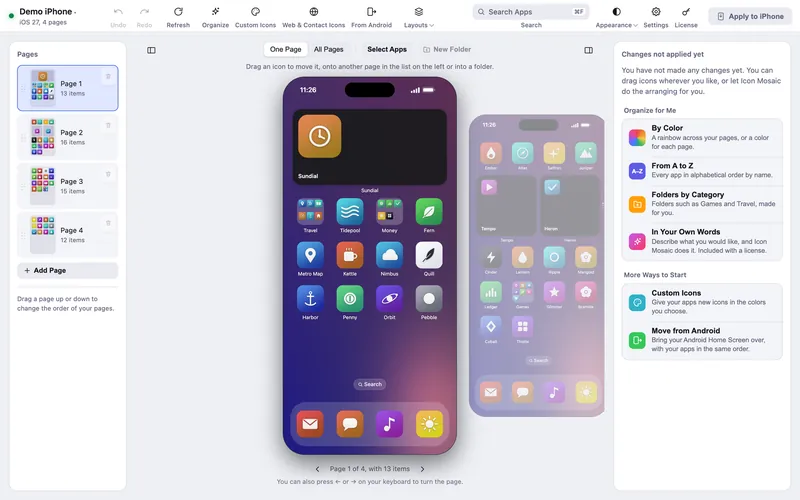
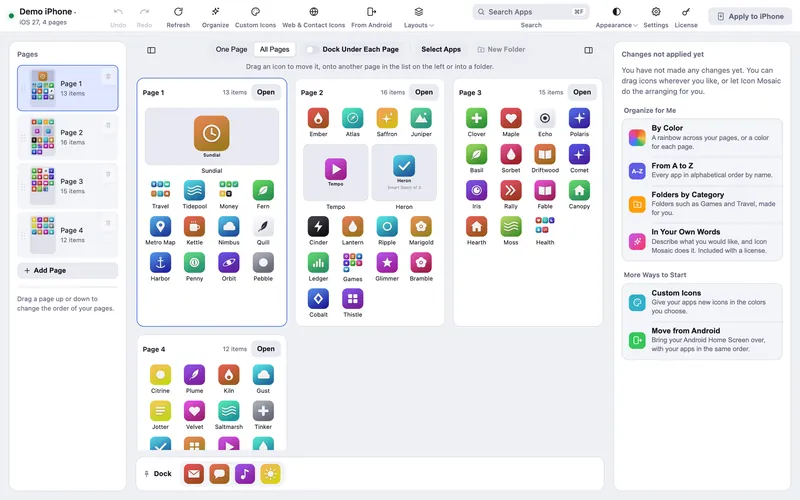
Icon Mosaic reads your real Home Screen over the cable or Wi-Fi, including folders, widgets, the dock and your wallpaper, and shows it on your Mac with the pages beside each other. You drag apps between pages, open folders with a click, press Select Apps to move a group from different pages at once, and search for any app by name.

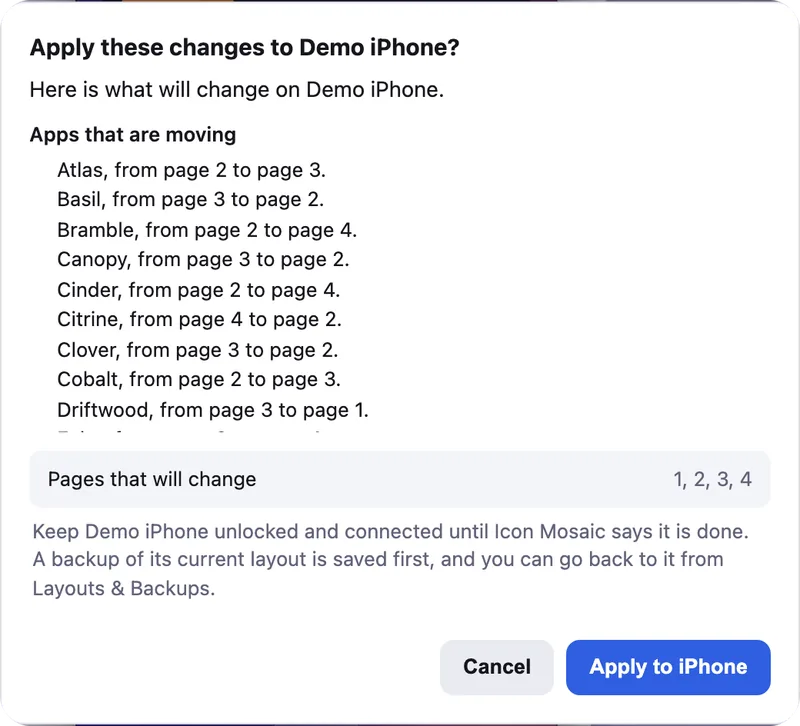
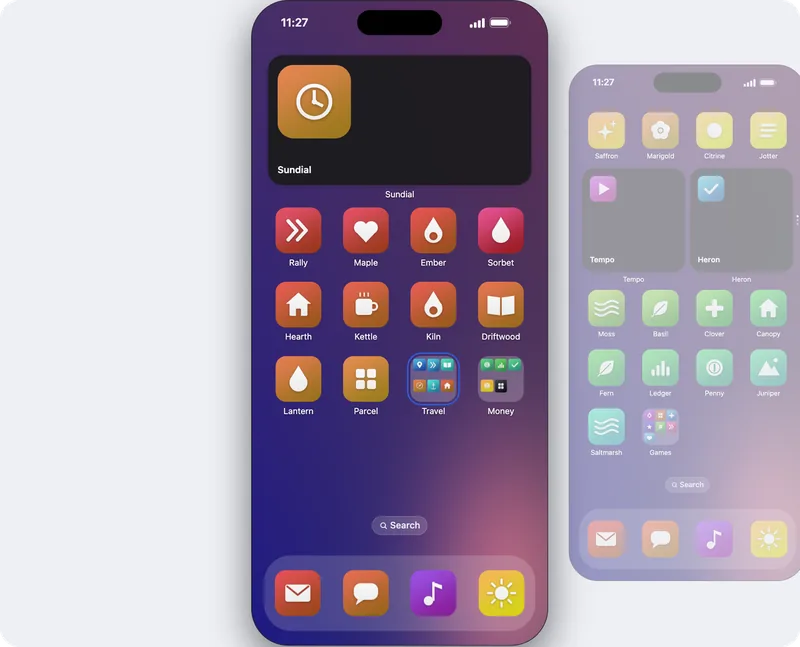
It can also tidy up for you: sort every app into a rainbow or from A to Z without losing your folders, make folders by App Store category or from a sentence you write, hide the apps you rarely use, and give your apps custom icons. Nothing changes on your iPhone until you press Apply to iPhone, and a backup of your old layout is saved first.
Rearranging and sorting on your Mac are free to try, and putting your new layout on your iPhone is a one-time $19 license. A version for Windows is coming to the Microsoft Store soon.
iPhone Mirroring (built into macOS)
On recent Macs and iPhones, iPhone Mirroring puts your phone’s screen in a window on your Mac, and you can use jiggle mode with your mouse. It saves your thumb, but you still see one small page at a time and drag apps to the edge of the screen to change pages, exactly as on the phone. It is not available in every country.
Apple Configurator (Mac)
Apple Configurator is Apple’s tool for setting up iPhones for schools and businesses. It can set a Home Screen layout, but only on supervised iPhones, and supervising a phone erases it. The layout is then fixed by a profile rather than arranged the normal way. We explain the details in Can Apple Configurator arrange your iPhone Home Screen?
What about iTunes and Finder?
Older versions of iTunes had an Apps tab where you could arrange your Home Screen. Apple removed it in iTunes 12.7, in September 2017, on both the Mac and Windows. Finder, which replaced iTunes on newer Macs, can back up and update your iPhone but has never been able to arrange its Home Screen. Our guide to rearranging iPhone apps from a Mac covers that history.
Common questions
What replaced iTunes for arranging iPhone apps?
Nothing from Apple. iTunes 12.7 removed Home Screen arranging in 2017, and Finder never added it. On a Mac, Icon Mosaic shows every page of your Home Screen and lets you drag apps between them with a mouse.
What is the best way to rearrange iPhone apps from a computer?
For your own iPhone, Icon Mosaic on a Mac. It reads your real Home Screen, shows every page at once, sorts by color or A to Z, makes folders, and shows you every change with a backup saved first. iPhone Mirroring only shows one page at a time, and Apple Configurator needs a supervised iPhone, which means erasing it.
Can I rearrange my iPhone Home Screen from a Windows PC?
Not with iTunes for Windows, which lost the feature in 2017. A version of Icon Mosaic for Windows is coming to the Microsoft Store soon.
Is it safe to rearrange iPhone apps from a computer?
Moving icons does not touch your apps or their data. Icon Mosaic saves a backup of your layout before every change, so you can always go back, and it never needs a jailbreak.
Do it all on your Mac, in minutes.
Icon Mosaic shows every page of your iPhone’s Home Screen side by side on your Mac, so you can drag apps anywhere, sort them by color or from A to Z, make folders, and send the result to your phone in one step.
Free to download and try. A one-time $19 license puts your new layout on your iPhone. A version for Windows is coming to the Microsoft Store soon.
Keep reading